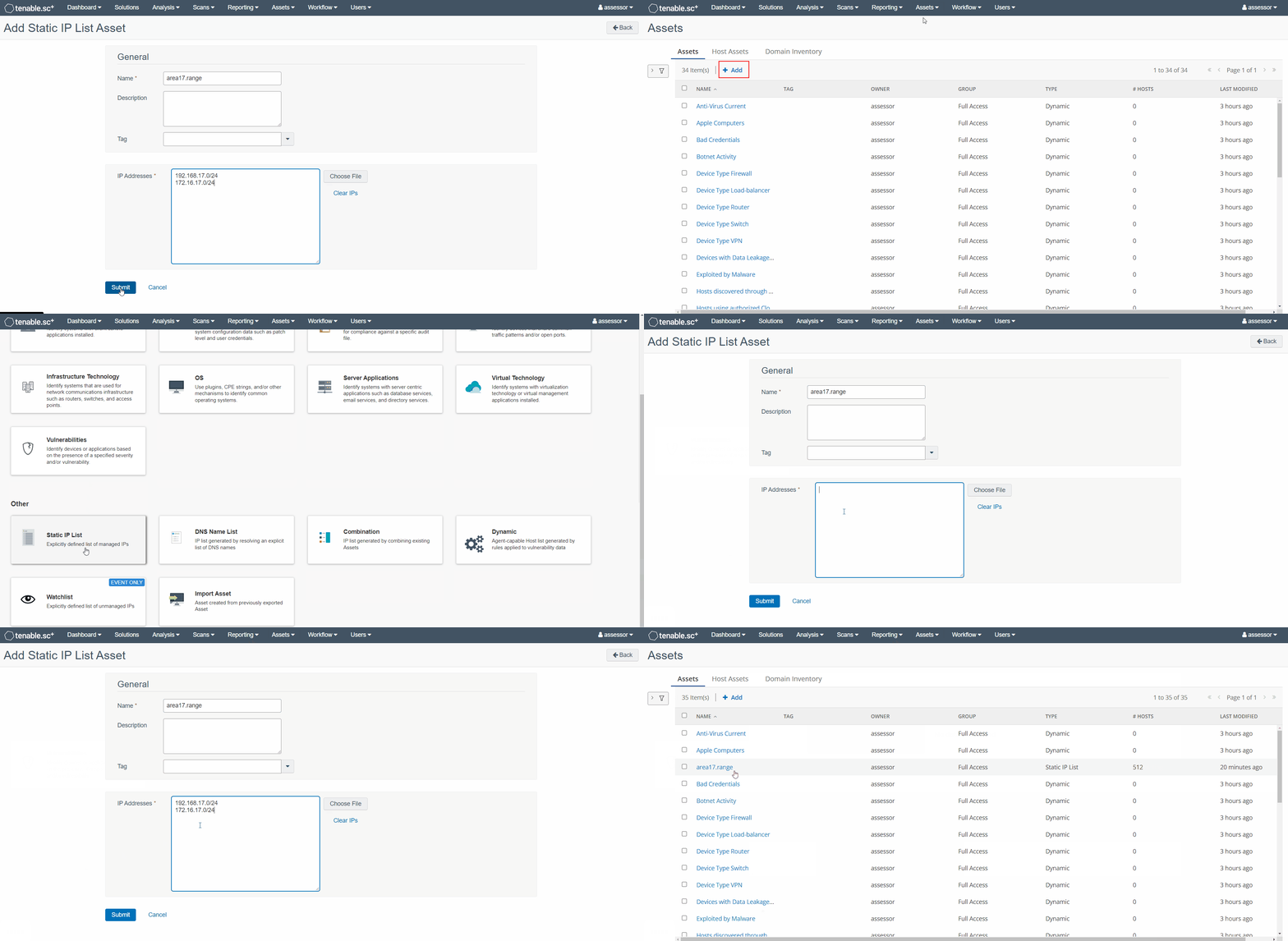
1. Preparation
Begin by logging in as a Security Manager (assessor) to the Tenable.sc (Security Center) web interface at https://cvah-acas
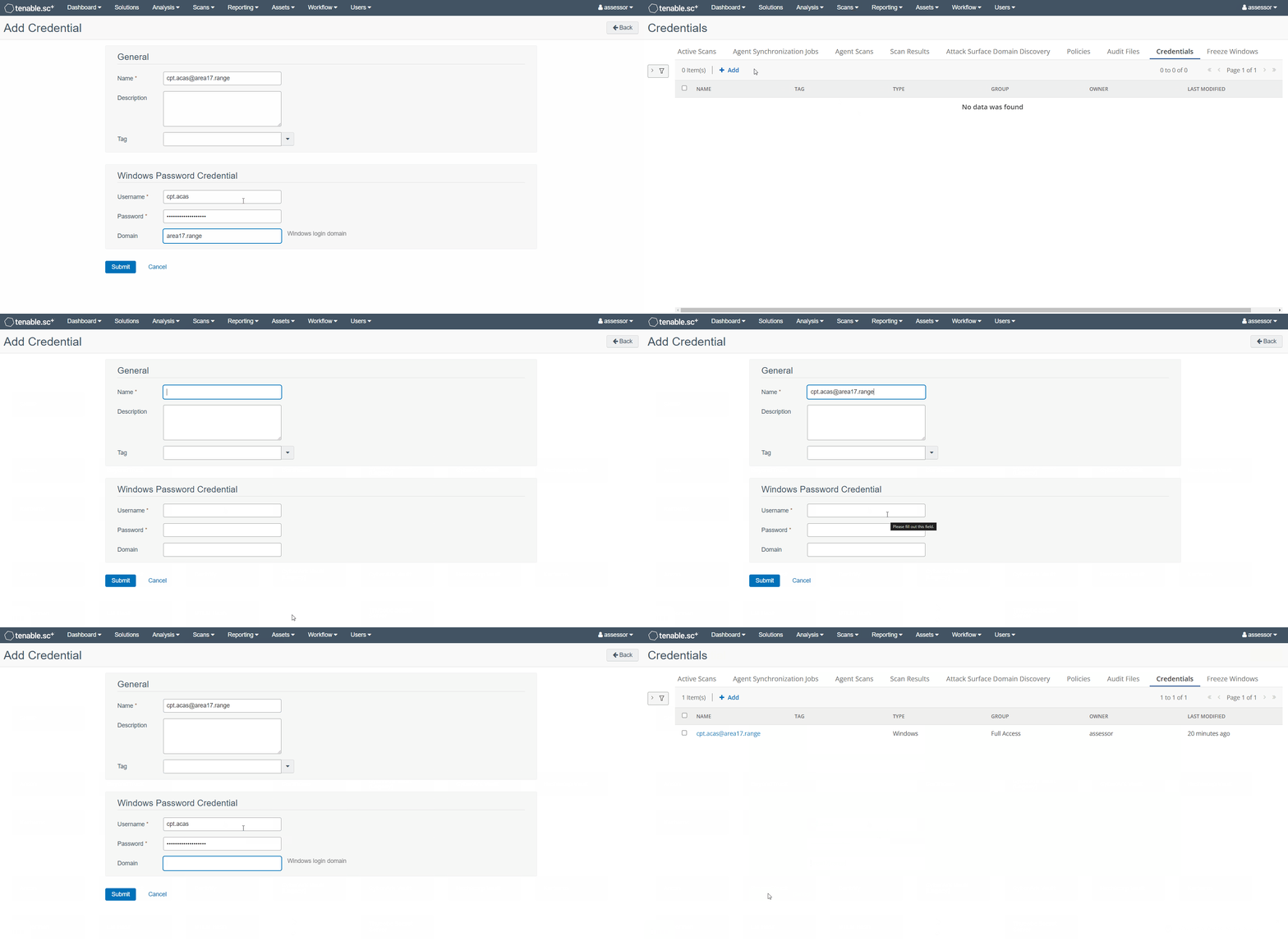
Add Credentials
-
From the top menu bar navigate to
Scans -> Credentialsand click +Add -
Select the desired credential type and fill in all necessary credential information - naming the credential set as
<USER>@<DOMAIN>
Configure Target Asset Lists
-
From the top menu bar navigate to
Assets -> Assetsand click +Add -
Select the asset type that you wish add (likely either Static IP List or DNS Name List)
-
Fill in all necessary target information